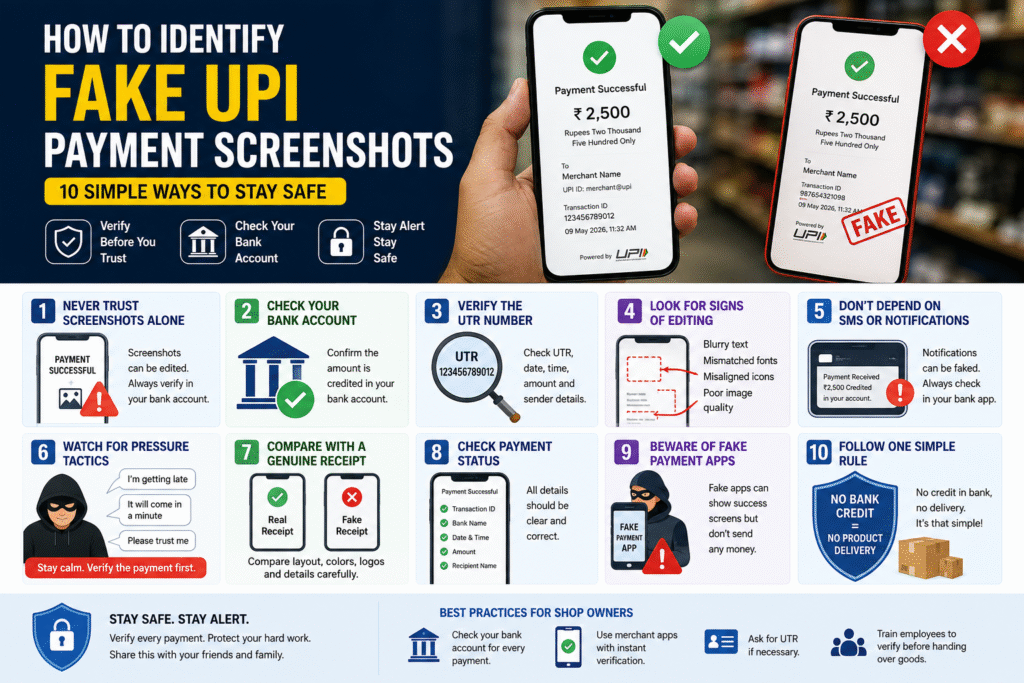
With the rapid adoption of UPI (Unified Payments Interface) across India, digital payments have become faster and more convenient than ever. Unfortunately, scammers have also found new ways to exploit this convenience. One of the most common tricks is using fake UPI payment screenshots to deceive shopkeepers, freelancers, delivery agents, and small business owners.
Every day, many people lose money because they trust a payment screenshot without verifying whether the money has actually reached their bank account.
In this guide, you’ll learn how fake UPI payment screenshot scams work, how to identify them, and the best practices to protect yourself.
What Is a Fake UPI Payment Screenshot?
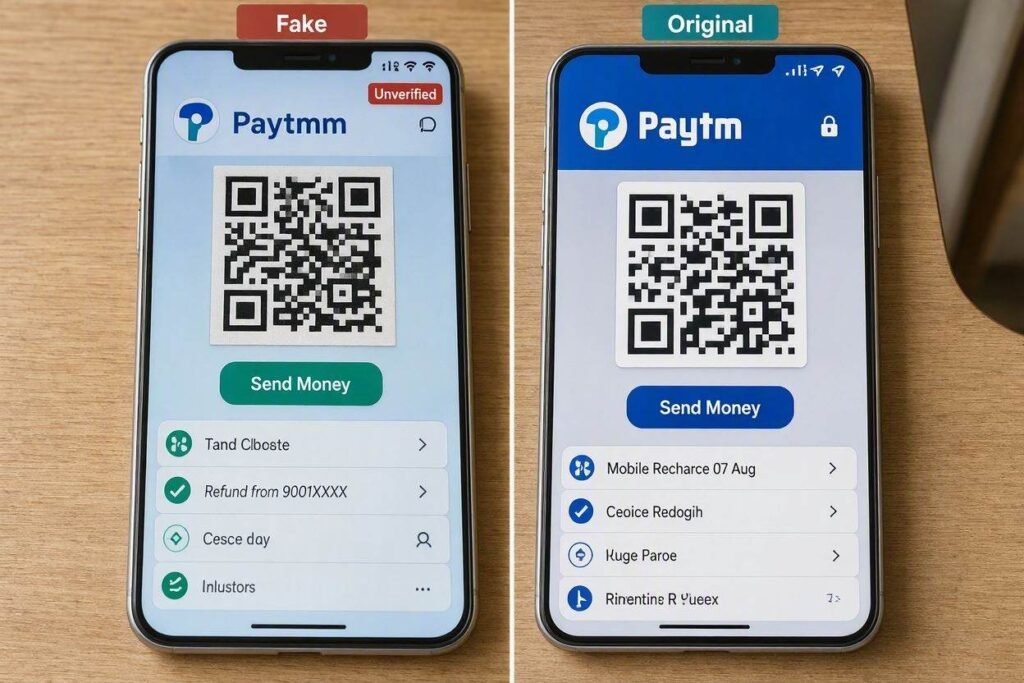
A fake UPI payment screenshot is a manipulated or fabricated image that falsely shows a successful payment. Scammers create these screenshots using photo editing software or fake payment apps that imitate popular UPI platforms.
These screenshots may appear to come from trusted apps such as:
- Google Pay (GPay)
- PhonePe
- Paytm
- BHIM UPI
- Amazon Pay
Although they look convincing, no actual money is transferred.
How the Scam Works
The scam usually follows these simple steps:
- A customer selects products or services.
- They scan your UPI QR code.
- Instead of making a real payment, they display a fake “Payment Successful” screenshot.
- They pressure you to hand over the goods immediately.
- After they leave, you discover that no payment was received.
This type of fraud is especially common in busy retail stores, fuel stations, restaurants, pharmacies, street markets, and among home-based businesses.
10 Ways to Identify Fake UPI Payment Screenshots
1. Never Trust the Screenshot Alone
A screenshot is just an image. It can be edited in seconds.
Always verify the payment through your bank account or merchant application before delivering any product or service.
2. Check Your Bank Account
The safest verification method is your bank account.
Open your banking app and confirm:
- The amount has been credited.
- The transaction appears in your statement.
- The balance has been updated.
If the payment does not appear, do not release the goods.
3. Verify the UTR (Unique Transaction Reference)
Every successful UPI transaction generates a unique UTR number.
Check whether:
- The UTR exists.
- The number format looks genuine.
- The transaction matches the payment amount.
- The date and time are correct.
If necessary, ask the customer to provide the UTR instead of showing only a screenshot.
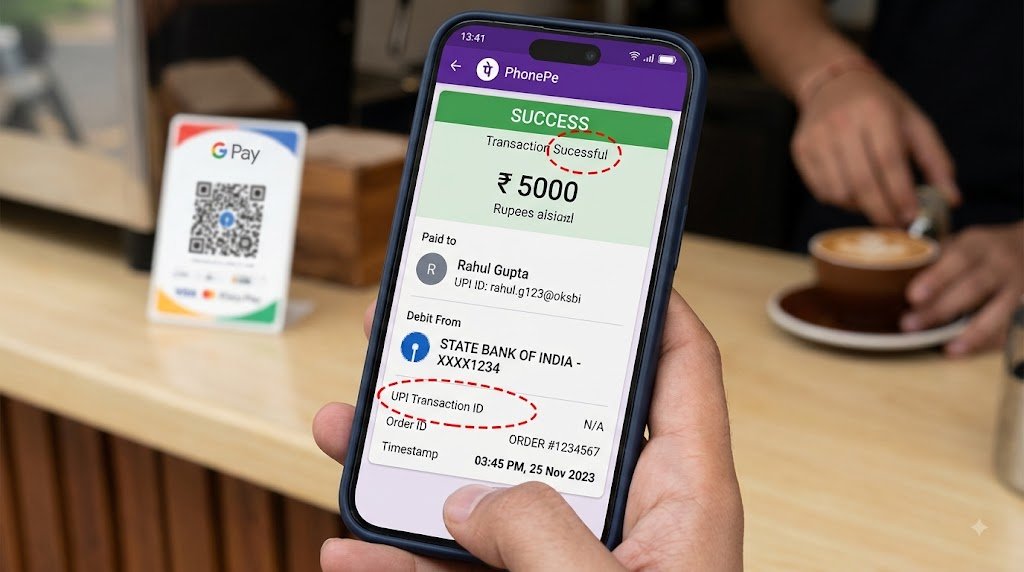
4. Look for Signs of Editing
Fake screenshots often contain subtle editing mistakes.
Watch for:
- Blurry text
- Different font sizes
- Misaligned icons
- Poor image quality
- Cropped edges
- Inconsistent spacing
- Incorrect colours
Even small inconsistencies can indicate image manipulation.
5. Don’t Depend on SMS or Notifications
Some scammers show fake SMS messages or push notifications claiming that payment has been received.
Remember:
A notification is not proof of payment.
Always verify the transaction in your bank application.
6. Be Careful with “Network Delay” Excuses
Fraudsters often say:
- “The server is slow.”
- “It will reflect in a minute.”
- “Please trust me.”
- “I’m getting late.”
Although banking delays occasionally happen, you should never hand over goods until you have confirmation of the credit.
7. Compare with Genuine Payment Receipts
Real payment receipts have a consistent layout.
Check whether the screenshot includes:
- Correct app logo
- Bank name
- UPI ID
- Transaction status
- Timestamp
- UTR number
Any missing or suspicious detail deserves further verification.
8. Verify the Merchant Name
A successful UPI payment should display your registered merchant or account name.
If the name is incorrect or missing, do not assume the payment was successful.
9. Beware of Fake Payment Apps
Several fake applications exist solely to generate convincing payment confirmation screens.
These apps mimic genuine UPI interfaces but do not transfer money.
If someone refuses to wait while you verify the payment, treat it as a warning sign.
10. Follow One Simple Rule
No Bank Credit = No Product Delivery
This single rule can protect your business from almost every fake screenshot scam.
Common Warning Signs
Be extra cautious if a customer:
- Refuses to wait for confirmation.
- Insists that the payment has already been made.
- Shows only a screenshot.
- Avoids sharing the transaction ID.
- Creates unnecessary urgency.
- Becomes impatient when asked to verify the payment.
What Should Shop Owners Do?
If you own a retail store or provide services:
- Check your bank account for every payment.
- Use merchant apps with instant transaction verification.
- Ask for the UTR if necessary.
- Never rely on screenshots alone.
- Train your employees to verify payments before handing over goods.
Frequently Asked Questions (FAQs)
Can a UPI payment screenshot be fake?
Yes. Screenshots can be edited or generated using fake payment apps without transferring any money.
How do I verify a UPI payment?
Check your bank account or merchant application and confirm that the amount has actually been credited.
What is a UTR number?
A UTR (Unique Transaction Reference) is a unique identifier generated for every successful UPI transaction. It helps banks trace the payment.
Can fake apps generate payment receipts?
Yes. Some fraudulent apps imitate popular UPI applications and display fake “Payment Successful” screens without initiating any transaction.
What should I do if someone shows only a screenshot?
Do not hand over products or services until you verify the payment in your bank account.
Conclusion
UPI has transformed digital payments in India, making transactions fast, secure, and convenient. However, scammers continue to exploit people who rely only on screenshots instead of verifying actual payments.
Whether you are a shopkeeper, freelancer, online seller, or service provider, adopting a simple verification habit can save you from financial loss.
Remember: A screenshot can be edited, but your bank transaction history cannot. Always verify the payment before delivering goods or services.