Festive seasons bring joy, discounts, and a rush to buy gifts online. But they also attract cybercriminals looking to scam shoppers. With phishing emails, fake websites, and payment fraud on the rise, staying safe while enjoying festive deals is more important than ever.
1. Buy Only from Trusted Websites
- Stick to official brand stores or reputed e-commerce platforms like Amazon, Flipkart, Myntra, etc.
- Check the website URL — it should start with https:// and have a lock icon.
Example: Instead of “amaz0n-deals.com”, always use the official “amazon.in”.
2. Beware of Festive Offer Emails & SMS
- Scammers send fake messages claiming “exclusive festive deals.”
- Never click on links in unsolicited messages.
Example: A message saying “Get 90% off Diwali gifts — click here” could be a phishing site.
3. Use Secure Payment Methods
- Prefer credit cards or UPI apps with fraud protection.
- Avoid COD for high-value items from unknown sellers.
Example: Paying via UPI to a random phone number is risky. Use in-app payment gateways instead.
4. Check Seller Ratings & Reviews
- Read customer reviews before buying.
- Avoid sellers with no ratings or suspiciously positive feedback.
5. Enable Two-Factor Authentication (2FA)
- Protect your shopping accounts with 2FA.
- Even if your password leaks, hackers can’t log in without your OTP.
6. Avoid Public Wi-Fi for Payments
- Hackers can intercept your data on public networks.
- Use mobile data or a VPN while shopping.
7. Verify Product Images & Details
- Fake sellers use stolen images with mismatched descriptions.
Example: If the image shows a branded shoe but the description says “generic,” it’s a red flag.
8. Watch for Price Manipulation
- Festive discounts can be fake — some sellers inflate prices before sale.
- Use price comparison tools to check genuine deals.
9. Contact Customer Care When in Doubt
- If anything seems suspicious, contact the e-commerce platform directly.
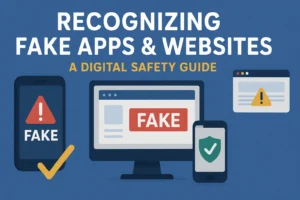
10. Download Official Shopping Apps Only
- Get apps from the Google Play Store or Apple App Store — never from third-party APK sites.
- Official stores scan apps for malware and fake versions.
Example: Download Flipkart from Play Store, not from a random link in WhatsApp.
🔴 Final Word
Festive shopping should be fun, not risky. By following these safety tips, you can grab great deals without falling into a scammer’s trap.