In today’s digital world, clicking on the wrong link can cost you more than just time — it can lead to stolen data, financial loss, or even complete identity theft. Cybercriminals are getting smarter at disguising malicious links to look genuine. Knowing how to spot and avoid them is an essential skill for personal cyber safety.
Why Suspicious Links Are Dangerous
Suspicious links are often used by cybercriminals to:
- Steal personal information (phishing attacks)
- Install malware or ransomware on your device
- Redirect you to fake websites that look legitimate
- Gain unauthorized access to your accounts
Even a single click on the wrong link can compromise your device and personal data.
How to Identify a Suspicious Link
Here are some clear signs to watch out for:
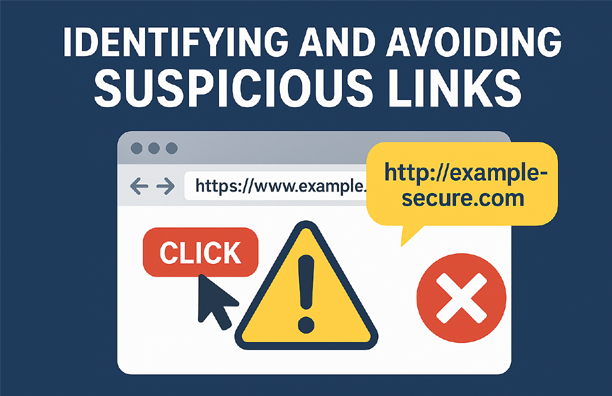
- Strange or Misspelled URLs
Look closely at the website address. Cybercriminals often use subtle spelling changes, extra characters, or a different domain (e.g.,.coinstead of.com) to trick you. - Unusual Sender or Source
If the link comes from an unknown person, or an unexpected message from a known contact, treat it with caution. - Shortened Links Without Context
Services like bit.ly or tinyurl hide the actual destination. If you don’t know where it leads, don’t click. - Links in Urgent or Threatening Messages
Scammers often use urgency like “Your account will be locked!” or “Claim your prize now!” to pressure you into clicking. - Mismatch Between Link Text and Actual URL
Hover your mouse over the link without clicking — if the address in the preview doesn’t match the text or looks suspicious, avoid it.
Best Practices to Avoid Suspicious Links
- Hover before clicking to preview the destination.
- Verify the sender before acting on any link.
- Use link scanners like VirusTotal or Google Safe Browsing to check safety.
- Keep your browser and antivirus updated for better protection.
- Type the URL manually if you’re unsure, instead of clicking.
- Be cautious on social media — hacked accounts often spread dangerous links.
What to Do If You Click a Suspicious Link
- Disconnect from the internet immediately to limit damage.
- Run a full antivirus scan to detect malware.
- Change your passwords for any potentially affected accounts.
- Monitor bank and online accounts for unusual activity.
- Report the link to your email provider, messaging app, or cybercrime portal (in India: https://cybercrime.gov.in).
Final Takeaway
The golden rule of online safety is simple: Think before you click. Cybercriminals rely on quick reactions, so slow down, verify, and stay alert. A few seconds of caution can save you from hours, days, or even months of trouble.